Support
Sand Hacks Troubleshooting: Loader, Menu, and Inject Fixes
Aug 20, 2026 · Updated Oct 28, 2026 · 4 min read
Fix common Sand Hacks issues on SAND—waiting for game window, menu key dead, missing modules, Defender blocks, and patch-day build swaps.
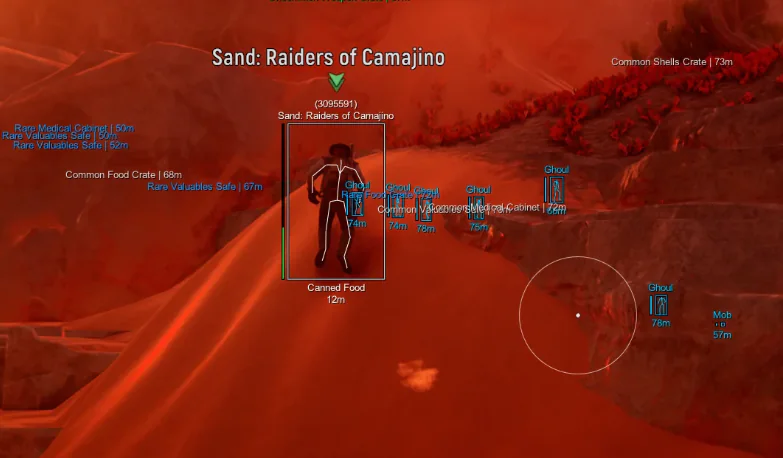
Most Sand Hacks tickets are repetitive—which is good, because fixes are repetitive too. Work through this list before you open Discord.
Loader: waiting for game window
- Set SAND to borderless windowed.
- Close overlays (Discord overlay, MSI Afterburner on-screen, etc.).
- Launch game to main menu, then start loader.
- Run loader as administrator only if portal docs say so—admin is not a universal fix.
Thread: first loader setup.
Menu key does nothing
Check in order:
- Homepage and #status—are you offline after a patch?
- Portal build version—download current file.
- Rebind custom menu key in misc; keyboard locale can break defaults.
- Panic key stuck? Toggle overlays off and on.
Patch thread: menu not opening.
Inject works but modules missing
Compare in-menu feature list to your Complete receipt. If modules look wrong, you likely imported someone else’s config. Load a blank preset and enable only merchant-listed modules.
Defender / SmartScreen
- Add exclusion for portal download folder only.
- Re-download from portal.
- Never unblock random zips from forums.
Thread: Defender exclusion.
Payment succeeded, portal empty
Wait a few minutes for card processing. If still empty, ticket with receipt ID—same as payment pending thread.
FPS collapse in cities
- Disable skeleton ESP
- Lower max ESP distance
- Shrink radar range
Thread: 1080 Ti skeleton FPS.
Aim feels dead but ESP works
- Confirm visibility check is not blocking every angle
- Raise FOV slightly
- Verify aim hotkey is hold vs toggle as expected
Settings: aimbot guide.
Stream capture leaking overlays
Record local clip; adjust capture mode or disable ESP before going live.
Thread: OBS capture.
When to stop self-help
Contact support if:
- Loader crashes with a specific error code
- HWID reset greyed out with active time on key
- Modules mismatch checkout after a fresh blank config
Include order email, tier, Windows version, build hash if shown.
Preventive habits
- Check status before every raid
- Export configs before patches
- Keep one conservative preset labeled
post-patch-test
Links
Error phrases and meaning
“Waiting for game window” — launch order or video mode.
“Inject failed” — often outdated build or blocker software.
“Key invalid” — HWID mismatch; reset or support.
“Module init failed” — half-updated build; download fresh portal file.
Write the exact string in tickets; paraphrasing slows fixes.
Clean reinstall path
When chaos compounds: uninstall loader copy, delete folder, exclude in Defender, download newest portal zip, test with stock game settings before reimporting configs.
Questions about this guide
- Loader stuck on waiting for game window?
- Use borderless windowed and inject after the main menu loads.
- Menu key stopped working after a patch?
- Check status, download the latest portal build, rebind menu key.
- Defender deleted the loader?
- Exclude only the portal download folder and re-download from the portal.
Keep reading
Buyer's Guide
Best Sand Hacks in 2026: What to Check Before You Buy
A practical checklist for Sand Hacks on SAND: Raiders of Sophie—module lists, live status, loader delivery, and what separates usable aimbot and ESP tiers.
Oct 22, 2026 4 min read
Read buyer guide
Settings
SAND Aimbot Settings: FOV, Bones, and Smoothing for Raiders
Tune Sand Hacks aimbot on SAND: Raiders of Sophie—hotkey, FOV, bone priority, prediction, visibility checks, and smoothing without flashy clips.
Oct 18, 2026 4 min read
Read settings guide
Plans
Sand Hacks Plans: Complete Suite vs Cloud DMA, Spoofer & Skins
Compare Complete Sand Hacks with Cloud DMA, HWID Spoofer, and Skin Changer for SAND: Raiders of Sophie cities, dunes, Tramplers, and extract fights.
Oct 10, 2026 4 min read
Read plan comparison